Deleting subscribers from a mailing list
Deleting a single subscriber from mailing list
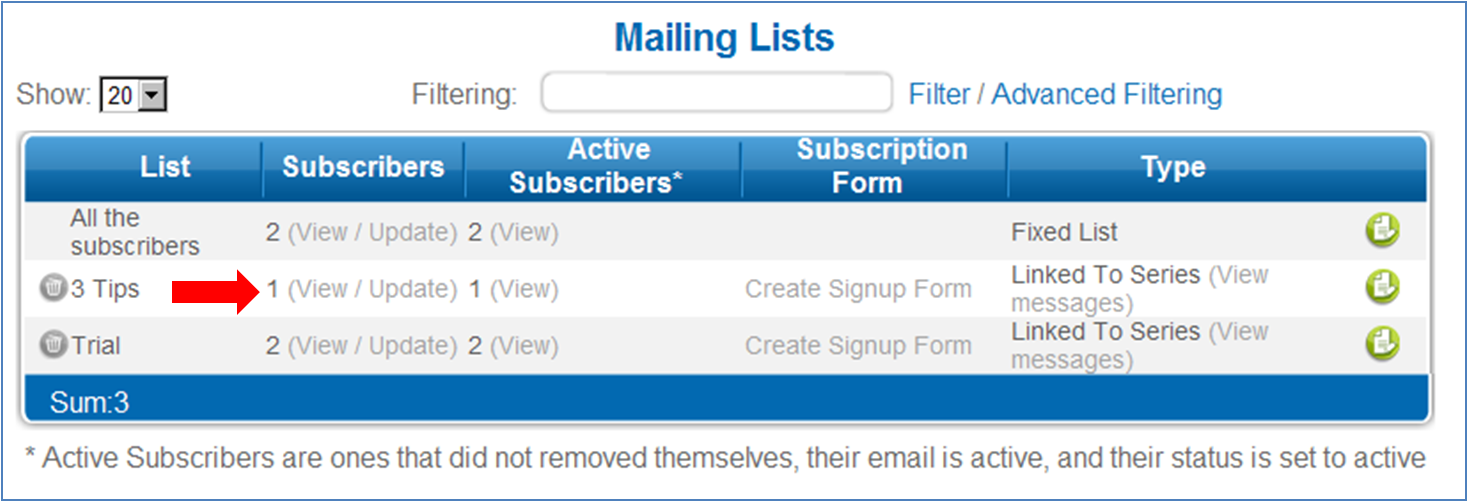
1. Go to the "Subscribers" tab and under the heading "Lists" in the menu on the left hand
side click on "Mailing Lists".
2. Place your cursor on the desired list and click on "view/update"
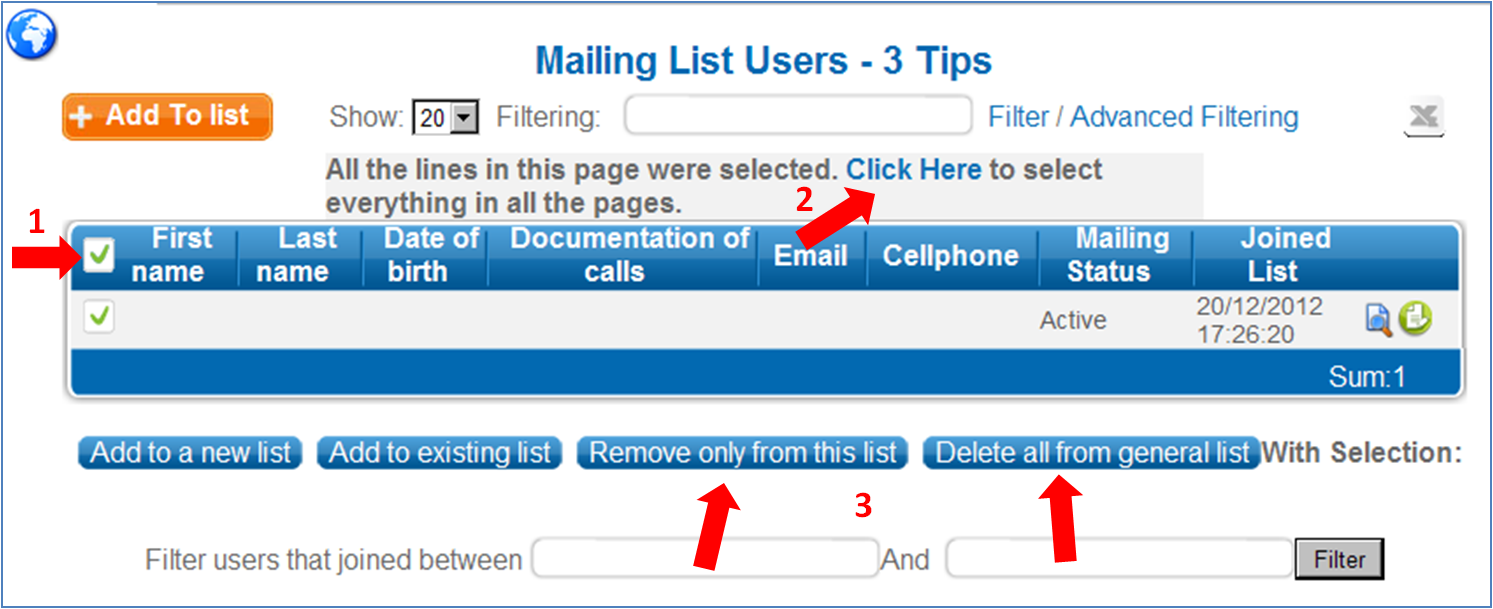
3. Select and mark the subscriber you wish to delete.
4. At the bottom of the page select " Remove only from this list" or "Delete all from general list"
Deleting all subscribers from mailing list
1. Go to the "Subscribers" tab and under the heading "Lists" in the menu on the left hand side click on "Mailing Lists".
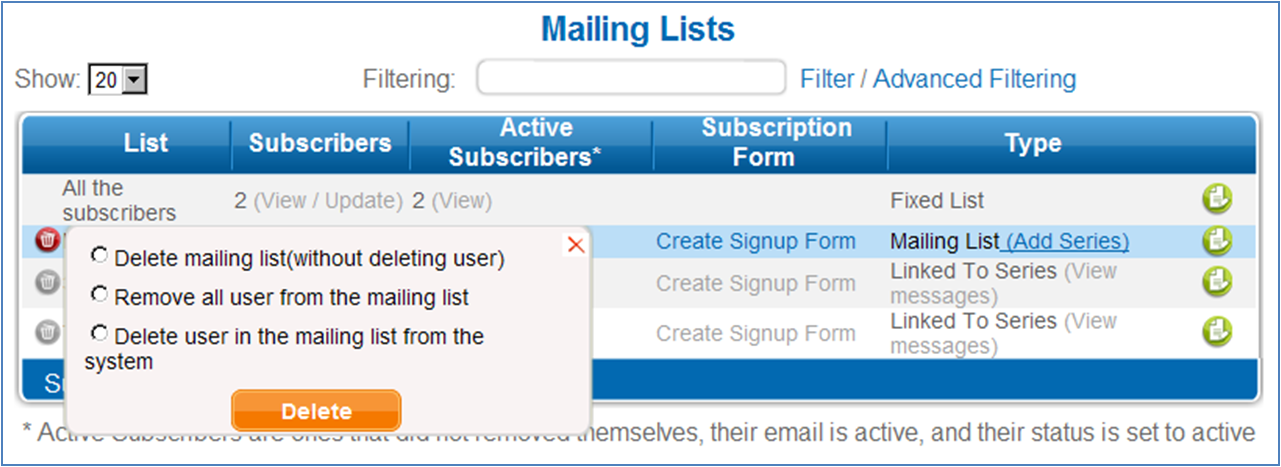
2. Click on the delete sign next to the relevant group.
3. Check the option "Remove all users from mailing list" or "Delete user in the mailing list from the system" and click "Delete."
|