Create a mailing list
There may be times you will want to send mail to a certain group of subscribers without mailing to all your subscribers. For example, to the company employees only or to subscribers from the subscription form only. In order to do this you will need to create mailing lists from your subscribers.
1. Go to the "Subscribers" tab and under the heading "Lists" in the menu on the left hand side click on "Mailing lists".
2. Click on "Add new"
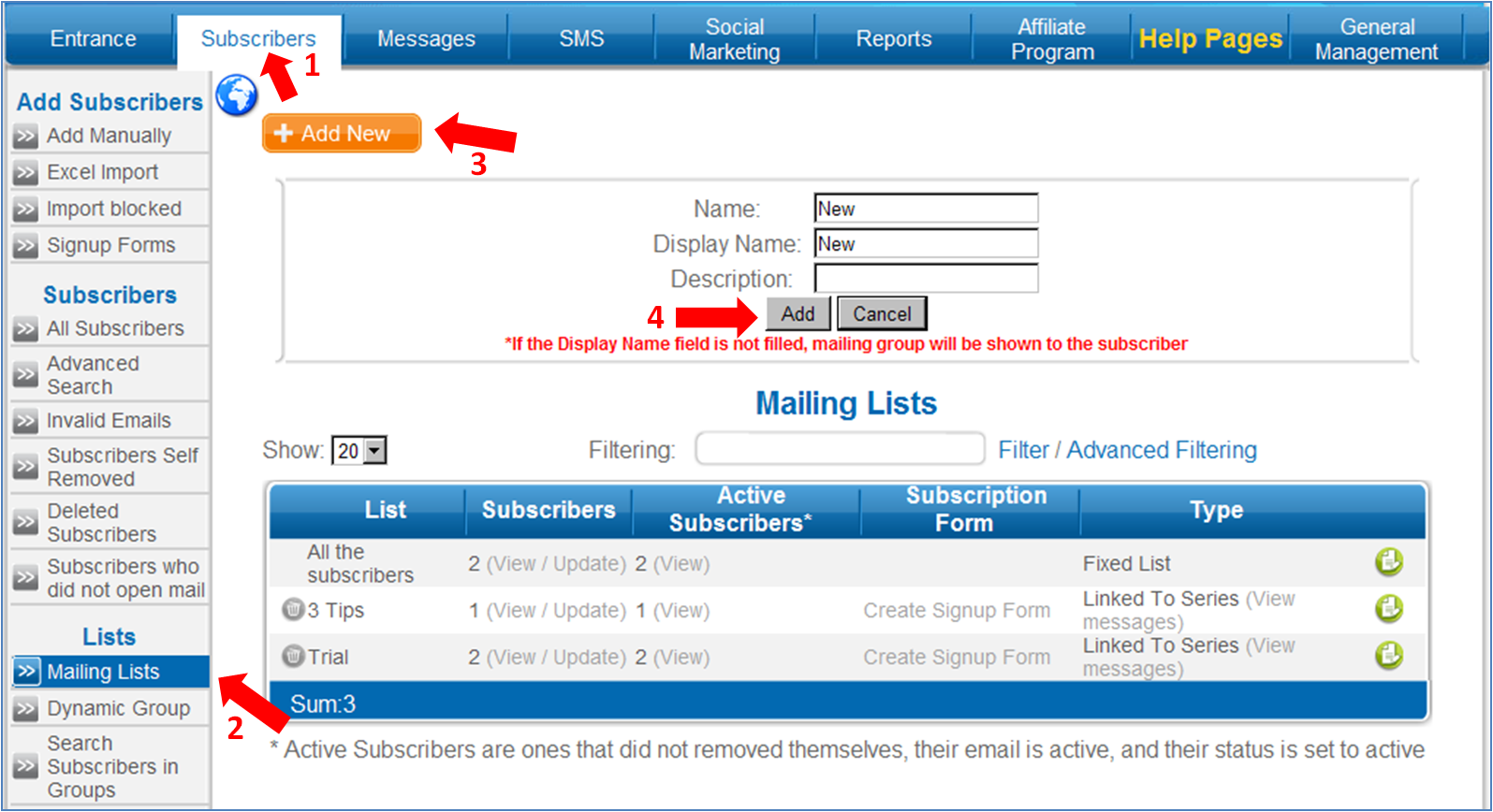
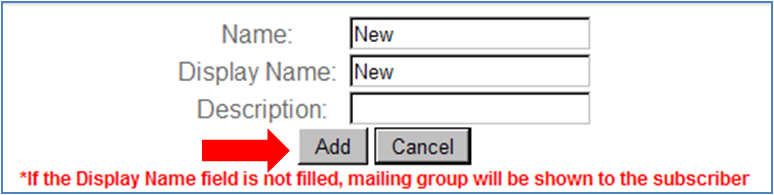
3. Give the group a name. You can also add a description to the group but it is not mandatory.
4. Give the group a "Display name". This name will be visible to the recipient when he clicks on the unsubscribe link and will allow them to remove themselves from the group without removing themselves from completely from the system. A group without a display name will not be visible to the recipient.
5. Click on "Add".
6. Now a mailing list with the name you defined has been created.
There are several ways to add subscribers in the system to the list you have created:
Selective addition of subscribers
1. Under the "Subscribers " tab in the list select "view/update"
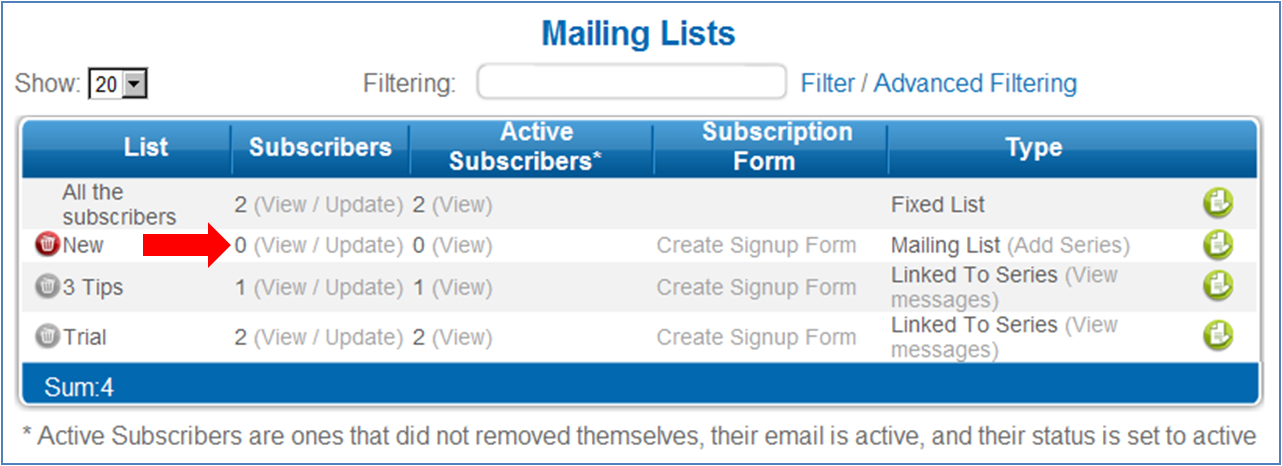
2. Click on the "Add new". A window to select subscribers will open.
3. Mark the subscribers that you want to add to the list and click on "Add to list"
Adding Subscribers by a common feature
1. Go to the "Subscribers" tab, under the heading " subscribers" in the menu on the left hand side select "Advanced search"
2. Define the relevant parameters and click "Search"
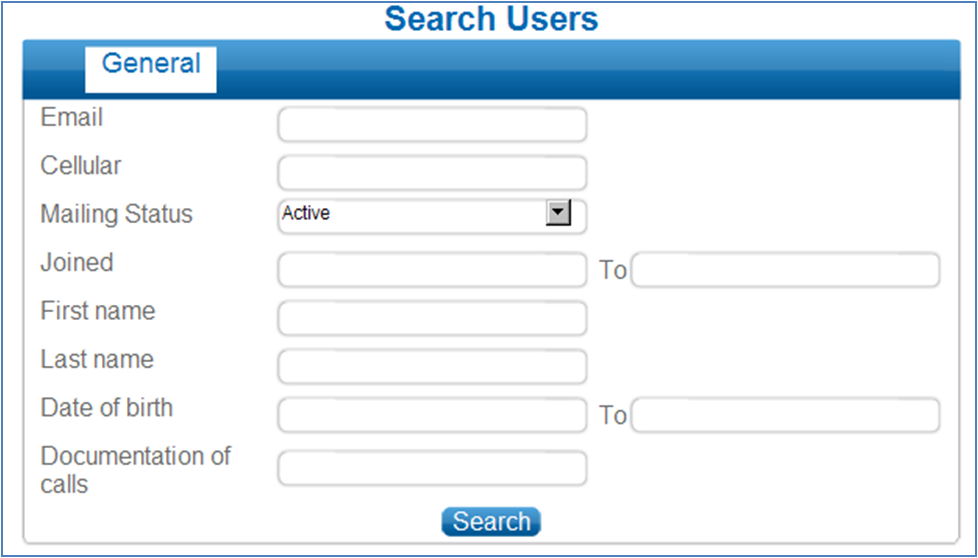
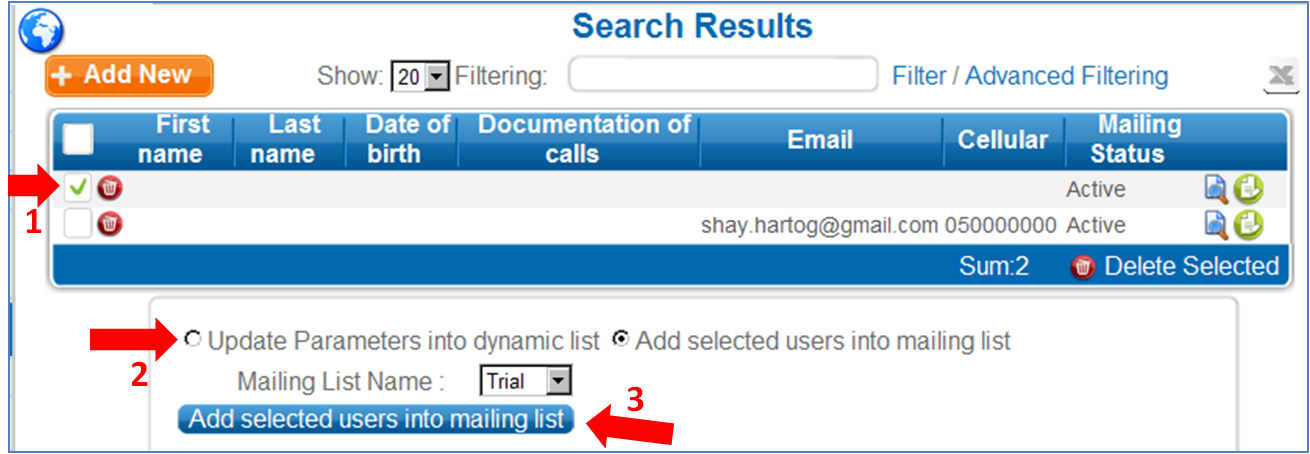
3. Mark the subscribers you want to add to the group. Select "Add selected users to mailing list"
4. Select the relevant group and click on "Add selected users into mailing list"
|