a series of messages
Everyone knows that it is a lot easier maintaining a customer you already have rather than finding new customers. For this reason it is important to maintain a high level of interest. How is this done?
The solution is a simple one – create a series of messages in a few simple steps. In other words, create a number of messages that are sent at regular intervals of your choice (every three days, once a week, once a month). The purpose is to maintain a relationship with the customer.
Creating a series of messages
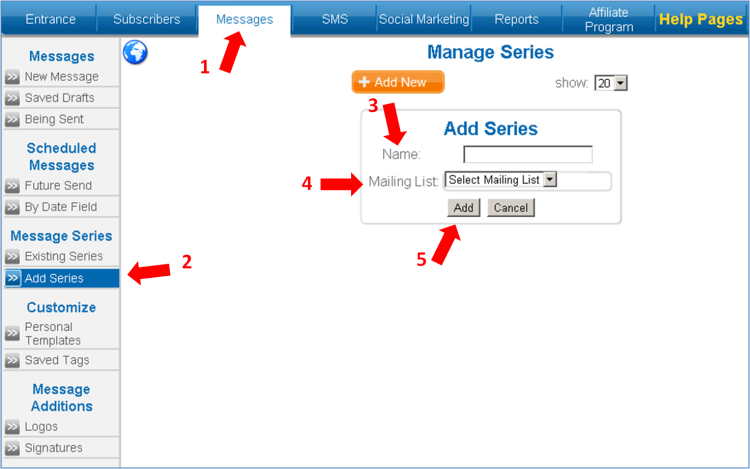
1. Click on the "messages" tab and choose the "add series" option.
2. Give the series a name and choose the mailing group (that you created in advance) that you will be sending the messages to.
3. Click on "add".
4. Click on "+" in the table under the heading "add message".

5. Create a new message. Use the "creating a new message" manual.
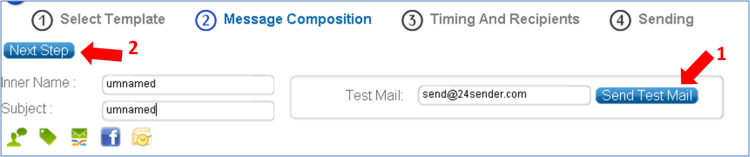
6. Once you have finished editing the message click on "next".
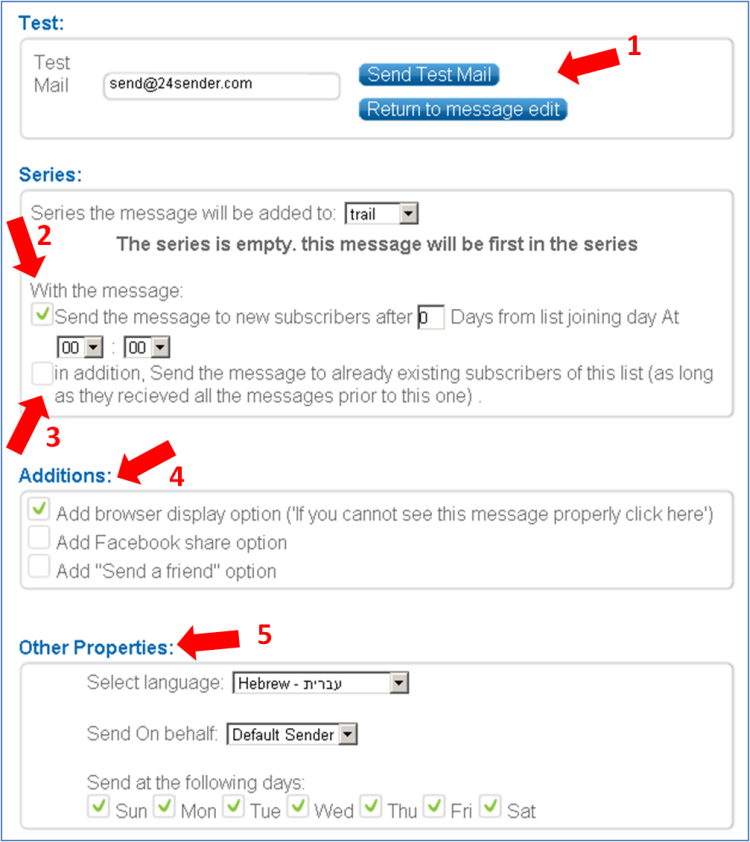
7. You can send a test message. Should you be unsatisfied with the message, you can go back and edit the message again.
8. Determine the timing of the message, the number of days after joining the group and what time the message should be sent. You can send the message to members who joined the mailing group and the number of days for sending this message have already elapsed for them.
9. In "additional features" you can choose the specific days of the week the message would be sent.
Statistics Evaluation of message series.
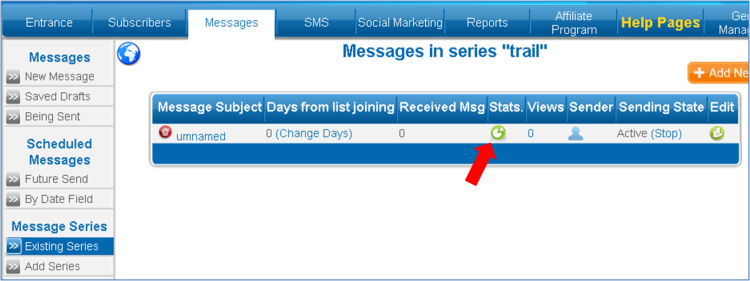
1. Unlike regular message statistics, series statistics are found in the "messages" tab and choose "existing series".
2. Click "view" of the desired series and click on the green pie symbol
|